
For Educators

Built for the teacher already in the room.

You are already the person who explains the rubric three times, keeps forty projects moving at forty different speeds, and knows which student is stalling before they say a word. Boomerang Projects is the workspace built to support that work — not replace it.

It gives you a clean way to structure long-form projects, keep student research visible, and respond to work quickly, without turning your classroom into a surveillance system.

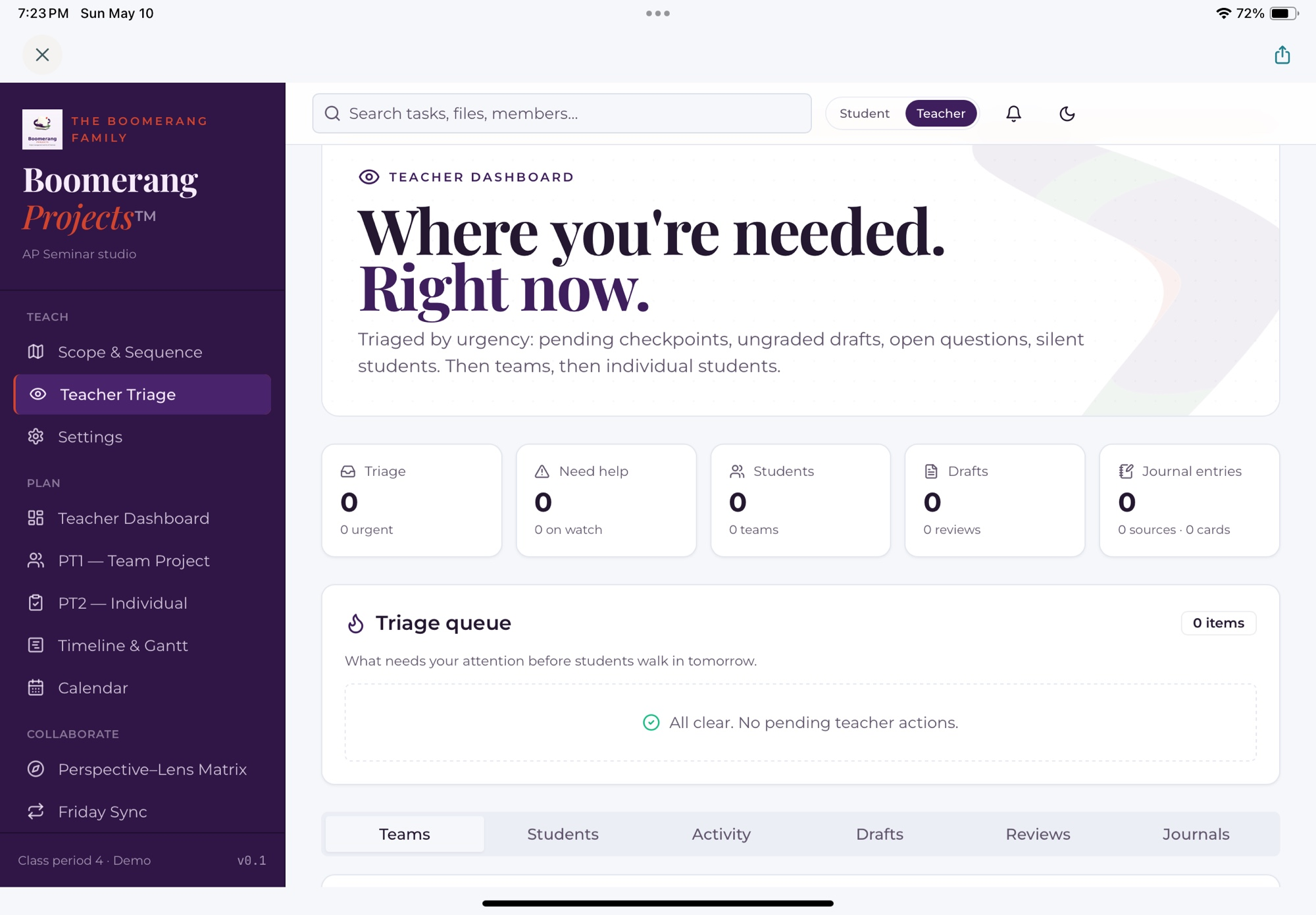
A teacher's view inside Boomerang Projects — a class of research projects visible in one workspace, with progress and milestones for each student.

For AP Seminar teachers

Managing PT1 and PT2 in your classroom?

Boomerang Projects has a dedicated workspace for the Performance Task 1 and Performance Task 2 workflow — reverse timelines, source evaluation, team responsibility, and rubric-aware feedback.

See the AP Seminar workspace

What Boomerang Projects is, in one sentence.

A privacy-first project-management workspace that helps students plan, research, collaborate, and complete extended academic projects — while giving teachers the visibility and structure needed to guide the work without micromanaging it.

It is designed for the kinds of projects that resist a normal LMS: AP Seminar coursework, IB® Extended Essays, senior capstones, science fairs, portfolio work, team presentations, argument papers, and independent research units. Each of those has a rhythm of its own. Boomerang Projects supports that rhythm.

How Boomerang Projects supports your teaching.

Six ways the workspace makes the work of teaching extended projects lighter, more visible, and more coherent.

Preserves the teacher already in the room.

The product assumes there is a teacher who knows the students, understands the discipline, and is responsible for the instruction. Every design decision starts from that assumption. The workspace clarifies your work; it does not compete with it.

Puts the rubric inside the work.

Rubric rows sit next to the draft, next to the bibliography, next to the presentation planner, and inside self-assessment. Students see what "proficient" and "advanced" mean while they're still writing — not for the first time when the paper is returned.

Makes the timeline instructional, not just administrative.

The Reverse Timeline starts at the final deadline and walks every prior milestone backward. Each milestone explains the why, so students learn planning habits — not just due dates.

Teaches source literacy as a habit.

The Annotated Bibliography surface builds credibility judgment into the workflow. Pick the framework that fits your class — SIFT, CRAAP, or RAVEN — and every source is scored against its criteria with evidence fields, flags, and rubric ties.

Makes collaboration accountable.

Team boards connect tasks to owners, project expectations, and rubric rows. Contribution Receipts roll up per teammate, so participation evidence is built in and end-of-project surprises are rare.

Gives you a Friday-morning read of the class.

One overview shows which projects are on-pace, which teams need a conference, and which milestones are quietly slipping. You get information for a conversation, not an automatic flag.

Studios for the projects you actually assign.

Boomerang Projects is built around studios — curated workspaces tuned to one project type. Each studio ships with the right rubrics, the right resources, and the right collaboration tools for that kind of work. You can mix studios across a single class.

  • Research & Argument Studio — for AP Seminar coursework and comparable argument projects. The active reference studio during early access.
  • Extended Research Studio — for AP Research coursework and long-form single-author investigations.
  • Portfolio Studio — for IB® Diploma coursework and other portfolio-based courses.
  • Science Fair Studio — for lab-based inquiry with an exhibition endpoint.
  • Team Presentations Studio — for collaborative work that ends in a live delivery.
  • General Research Studio — a flexible base for research reports, independent investigations, and interdisciplinary units.

Each studio includes a compliance line noting that Boomerang Projects is not affiliated with or endorsed by the College Board or the IB Organization.

Instructional visibility. Not surveillance.

Boomerang Projects is designed to surface information you can act on as a teacher — a stalled bibliography, an unbalanced team, a project that would benefit from a conference — not to rank students, automate consequences, or replace your read of the room.

Students see their own work and their responsibilities.
Teams see the work they share.
Teachers see the patterns that matter for instruction.

When a pattern appears, the next step is a human conversation. That is the default. The workspace makes that conversation better-informed; it does not try to replace it.

A day in the workflow

What a week actually looks like.

The workspace stays out of the way. It shows up where the teaching is happening.

Monday · set the frame

Open the studio, publish the week's milestone in the Reverse Timeline, and drop the one lesson resource the whole class needs. Students see it in their dashboards before first bell.

Tuesday–Wednesday · circulate

Conference with individual students in your regular pattern. Their research journal, annotated bibliography, and current draft are already in front of you — no hunting for files.

Thursday · feedback pass

Score against your rubric rows inline. Comments are attached to the row, not floating in the margins. Students see next steps in language that matches the rubric.

Friday · read the room

Open the class overview. Which projects are on-pace? Which teams need a Monday conference? Which milestones are quietly slipping? Plan next week with real information instead of guesswork.

Research-informed and classroom-tested.

Boomerang Projects reflects a set of practices most experienced teachers of long-form research already believe in: reverse planning, rubric-anchored feedback, structured source evaluation, visible collaboration, and reflective self-assessment. The workspace organizes those practices into one place. It does not invent them.

Everything you can already do on paper, in a slide deck, in a shared drive, or in a document, you can still do — better and more visibly — inside Boomerang Projects. The workspace exists so those practices become easier to sustain across a full class and a full year.

Early access is intentional.

The v1 cohort is small on purpose.

Early-access teachers get free access throughout the early-access period and a direct line to the founder. The feedback we gather here is the rubric the next version is built against. If Boomerang Projects is going to be worth adopting in your classroom, this is the moment to shape how it works.

Secure Early Access Ask the founder a question

"The best classrooms are not run on control. They are run on trust, structure, and clarity. Boomerang Projects is what happens when a working teacher gets to design the workspace around that idea."

— Drew Snow, Founder & CEO, Boomerang Classroom