Built by a 20+ year teacher · Beta opens 2026

Real students.
Real problems.
Real solutions.

Boomerang Projects helps students manage extended research projects with structured peer feedback and rubric-aligned self-assessment. Research Reports, Team Presentations, Senior Capstones, Science Fair, honors theses — one workspace, every project type, with the guardrails teachers and students actually need.

Privacy-first · FERPA-aware · No third-party trackers in student-facing flows

A 3D illustration of a stack of research papers wrapped by a plum boomerang arc with a sage return chevron — the Boomerang Projects mark.

The philosophy

Notice the problem. Imagine the solution.
Then make it real.

The hardest part of any extended research project is the middle — when a student has a question, half a bibliography, an unfinished argument, and a deadline that suddenly looks closer than it did yesterday. Boomerang Projects was built around that middle. Give students room to notice, freedom to imagine, and a clear workspace to turn ideas into work a real audience could read or watch.

Freedom, with guardrails.

Independent research projects are student-led — that's the point. Boomerang Projects adds the kind of light structure that protects student agency instead of replacing it. Customizable timelines. Visible milestones. Quiet accountability.

Resources where you need them.

Citation tools (MLA, APA, Chicago, IEEE), source-credibility scoring, your rubric — all live inside the workspace, so students and teachers stop searching the internet for what their own project already requires.

Solutions, not just problems.

Good research moves past what is toward what could be. Every screen is designed to keep that motion going — from a question, to evidence, to a recommendation a real audience could act on.

Who it's for

One workspace. Many project shapes.

Extended research projects come in many forms. Some require collaboration, some are a paper only, others end in a presentation or a defense. Boomerang Projects supports the workflow underneath all of them — and a research-based workflow that supports the AP Seminar approach as well.

📄

Research Reports

Individual extended papers — question, evidence, recommendation.

📊

Team Presentations

Group projects that defend a position with sources and a multimedia deck.

📝

Argument Papers

Persuasive papers backed by evidence and counterclaims.

🔬

Science Fair

Question → method → data → conclusion, with a board or presentation.

🎓

Senior Capstones

Year-long culminating projects — paper, product, or performance.

📚

Honors Theses

Extended scholarly papers for honors program completion.

🌍

IB Extended Essays

4,000-word independent investigations in a chosen subject.

🎤

AP Seminar & Capstone

The workflow inside the workspace matches the AP Seminar approach to research and presentation.

The product

Five moves, one workspace.

Boomerang Projects organizes the actual shape of extended research work — from a question, through credible sources, into a draft or a deck, with peer feedback and rubric-aligned self-assessment running the whole way. The screens below are mockups of the v1 build.

01

A student workspace built around the actual shape of the project.

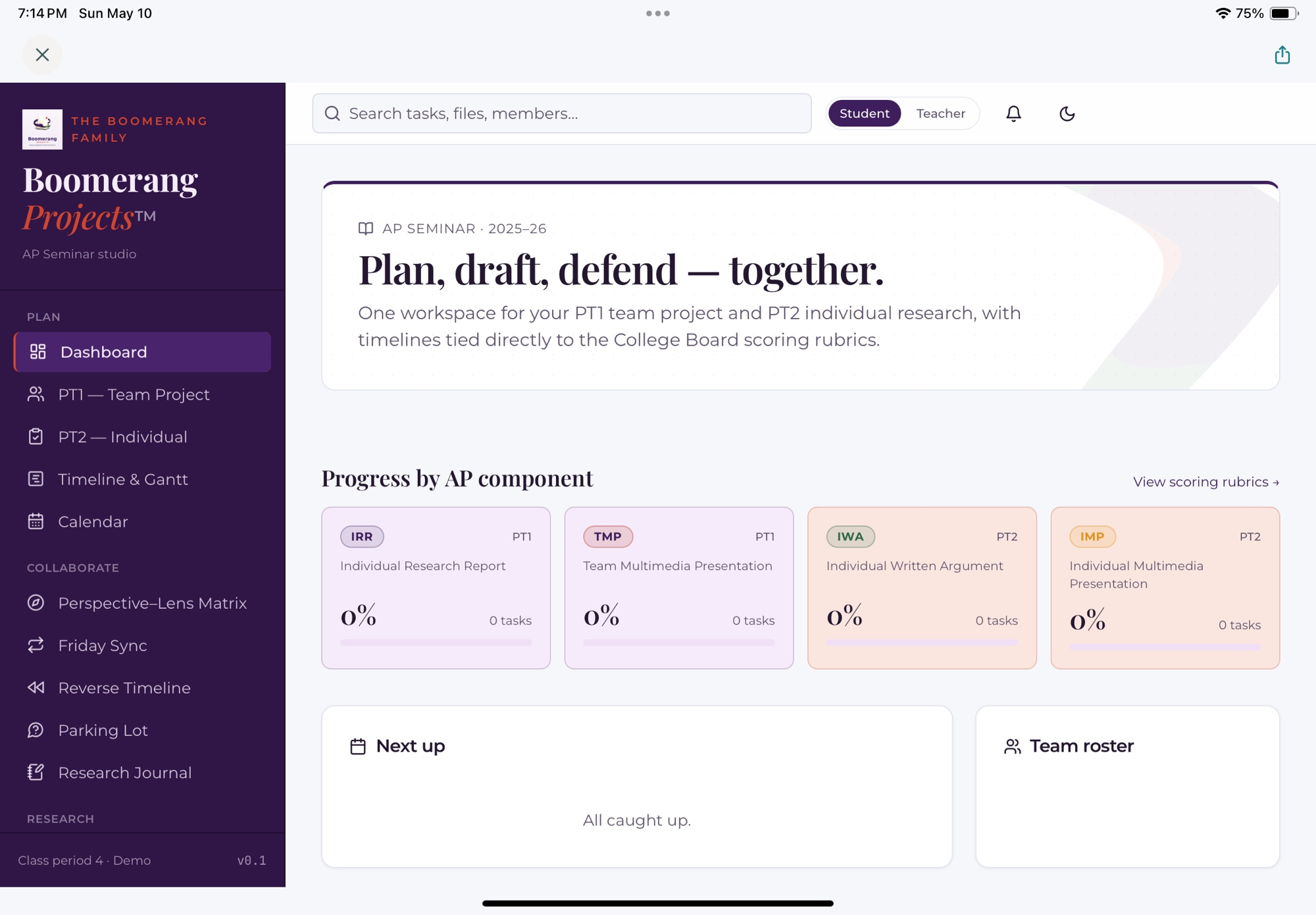
One dashboard. The components your class is working on — Research Report, Team Presentation, Individual Presentation, Argument Paper, and more — each tied to your class rubric. Students see exactly what they're working on, what's next, and what the rubric will reward. Less guessing. More argument.

  • Plan, draft, defend — all in one workspace
  • Progress by project component, not by abstract checklist
  • One-click access to your class rubric
Boomerang Projects student dashboard showing progress across Research Report, Team Presentation, and Individual Presentation, with rubric-aligned progress bars on the right.
Student view · v1 mockup

02

Set the deadline. Get the path back.

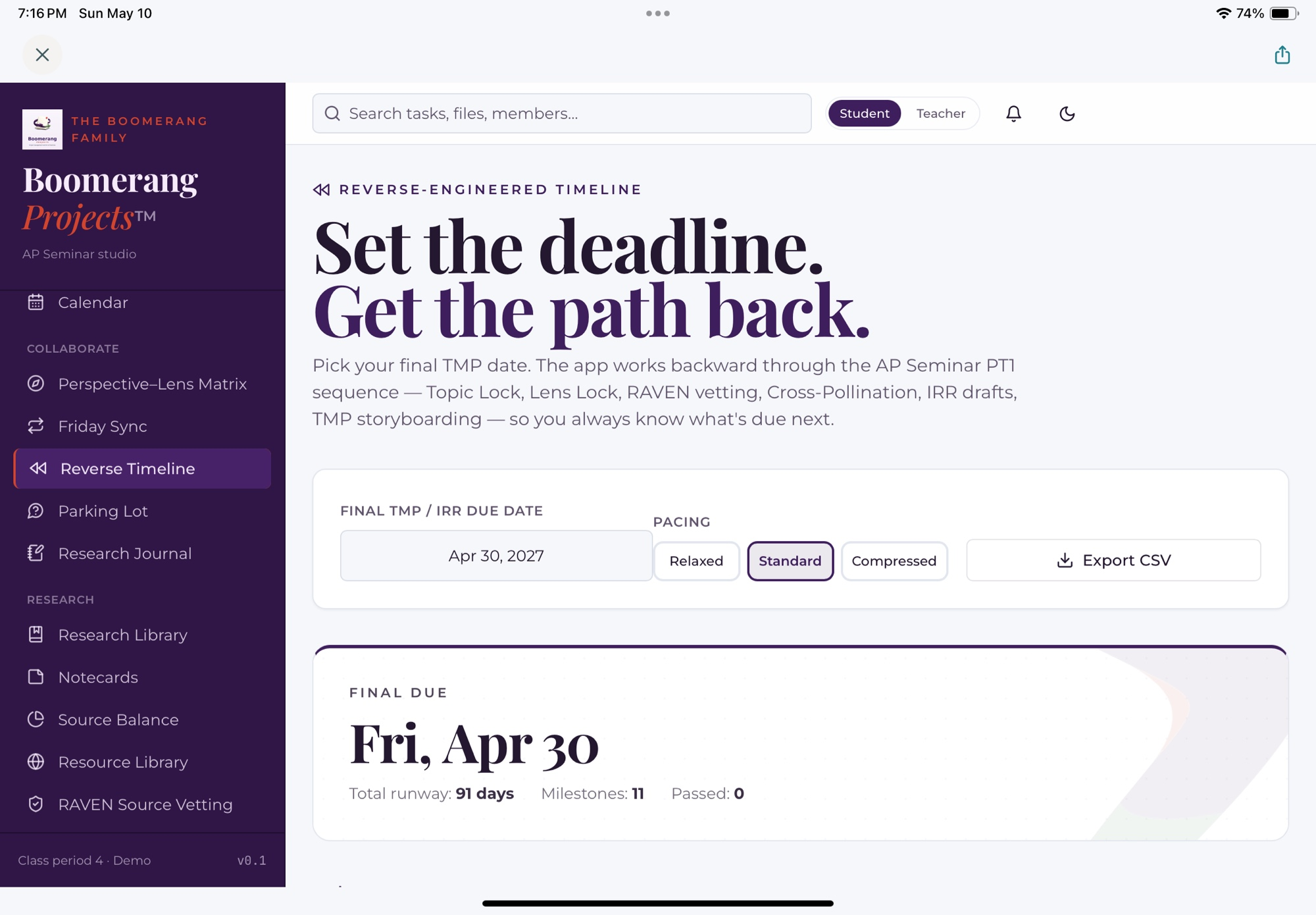
Pick the final due date. Boomerang Projects works backward through the project type — Topic Lock, Perspectives Map, Bibliography, Drafts, Peer Feedback — so students always know what's due next. Relaxed, Standard, or Compressed pacing, exportable to CSV for the gradebook.

  • One date in. A full timeline of rubric-aligned milestones out
  • Three pacing modes to match your school calendar
  • CSV export for gradebook and lesson planning
Boomerang Projects Reverse Timeline screen — student picks a final due date and the app generates the rubric-aligned milestones backward through the project.
Student view · v1 mockup

03

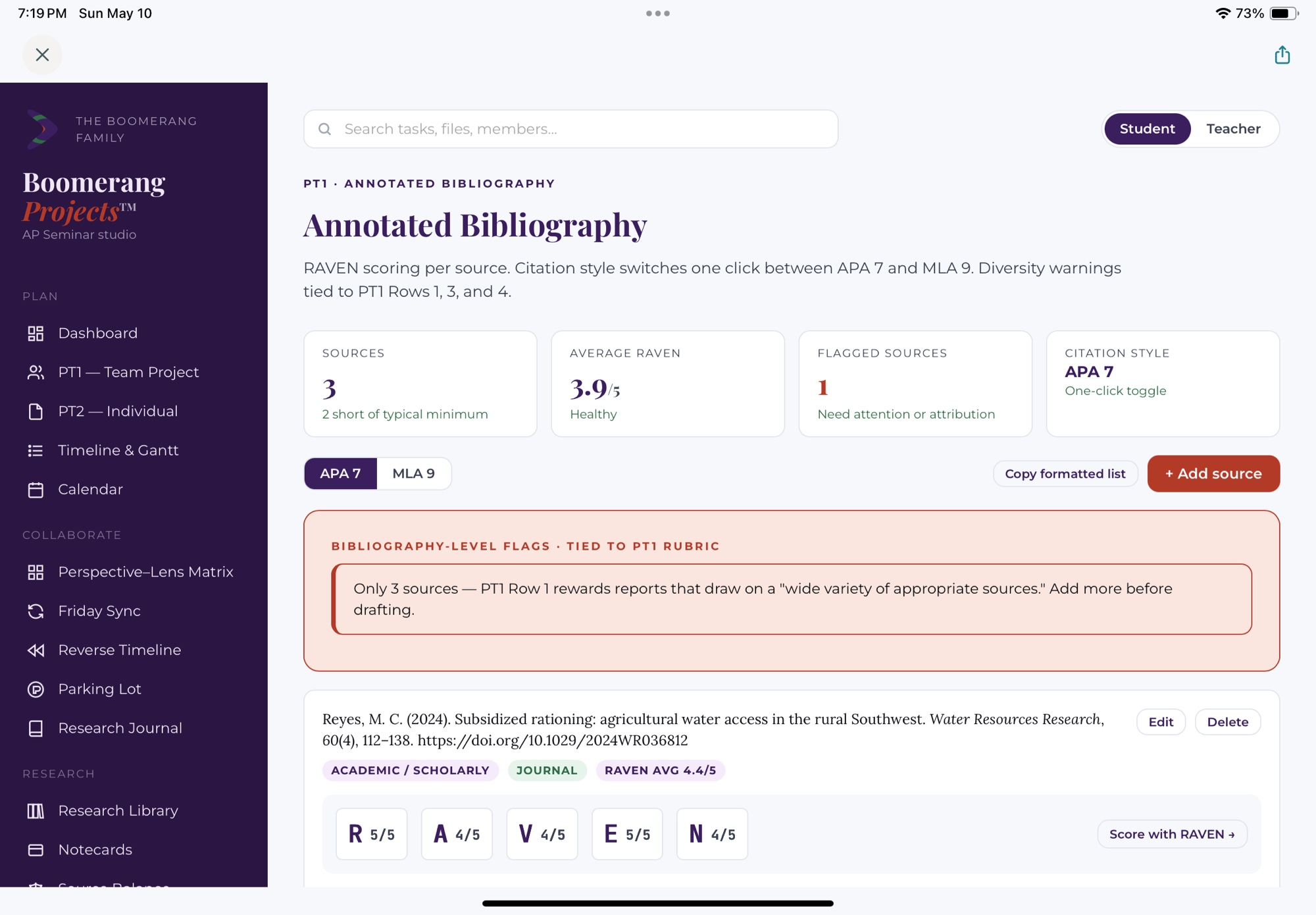
An annotated bibliography that builds source literacy.

MLA, APA, Chicago, and IEEE on a one-click toggle. Choose the source-evaluation method that fits your classroom — RAVEN, SIFT, CRAAP, or SMART Check — so source quality becomes a habit, not a last-minute check. Bibliography-level flags tied directly to rubric rows surface gaps before the rubric does.

  • Per-source scoring with your choice of SIFT, CRAAP, SMART Check, or RAVEN
  • Bibliography-level diversity flags tied to your rubric
  • One-click switch between MLA, APA, Chicago, and IEEE
Boomerang Projects Annotated Bibliography screen with three sources, RAVEN credibility scores per source, MLA 9 toggle active, and a rubric-aligned flag about source diversity.
Student view · v1 mockup

04

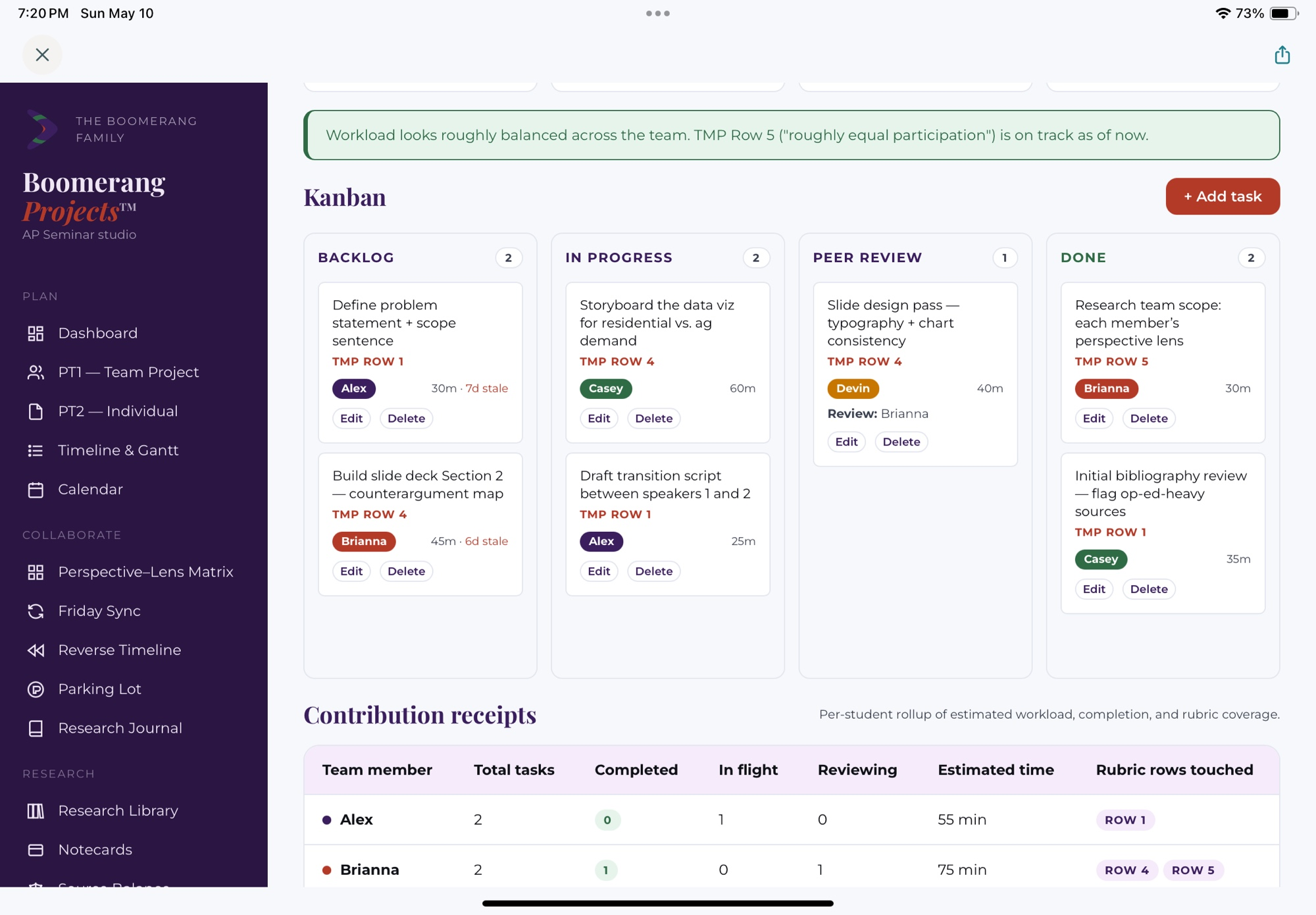
A team board that keeps the group moving forward.

Group projects live on coordination. A shared board — Backlog, In Progress, Peer Review, Done — keeps every teammate's work visible. Each card carries a rubric row, an owner, and an estimate. Contribution Receipts roll the whole board up per teammate, so participation evidence is built in, not reconstructed at the end.

  • Kanban with Peer Review as its own column
  • Every task tagged to a rubric row your teacher defined
  • Per-student Contribution Receipts for fair evaluation
Boomerang Projects Team Board — kanban with Backlog, In Progress, Peer Review, and Done columns; tasks tagged to rubric rows and team members.
Student view · v1 mockup

05

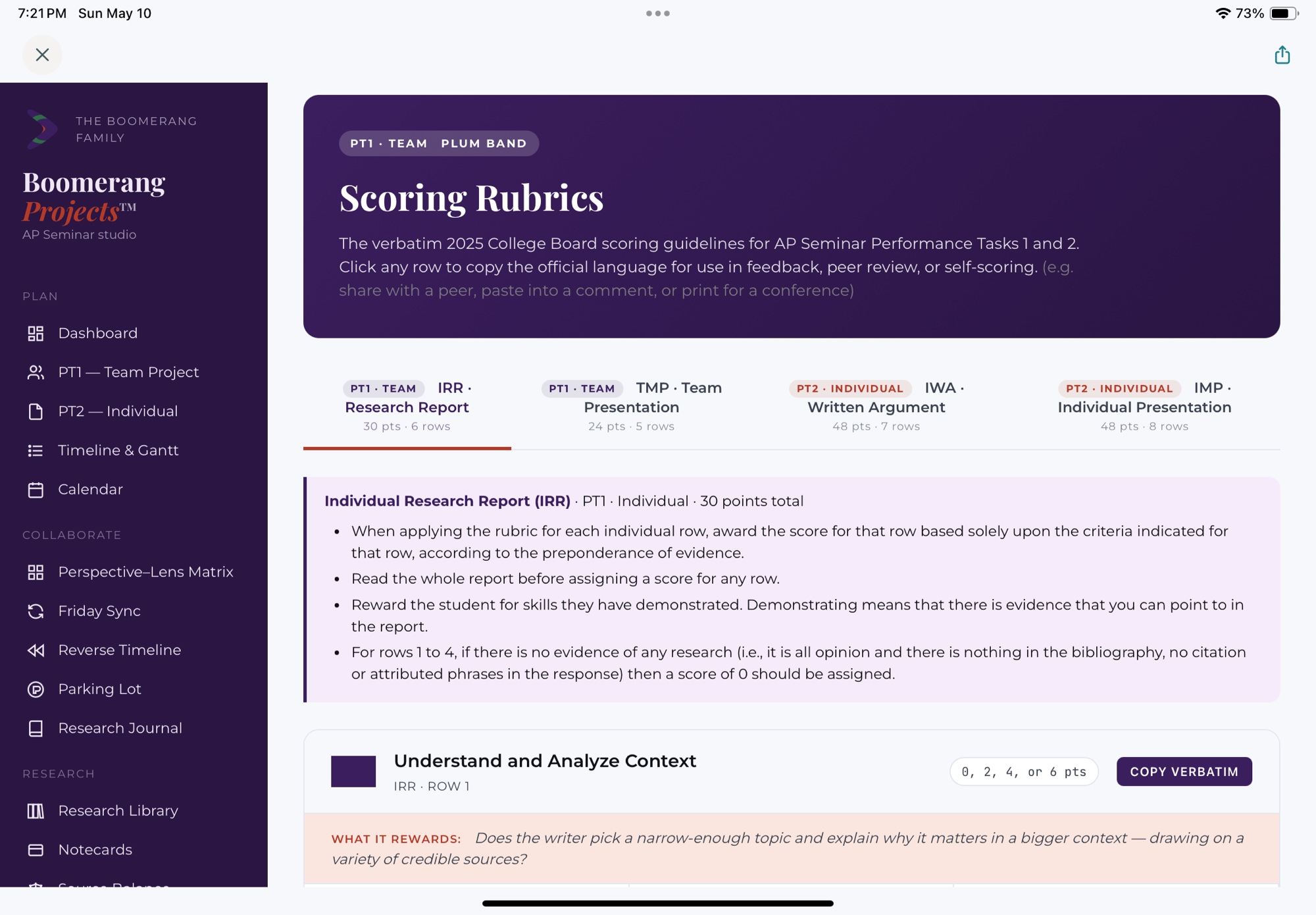
Your rubric. Your language. Built into every screen.

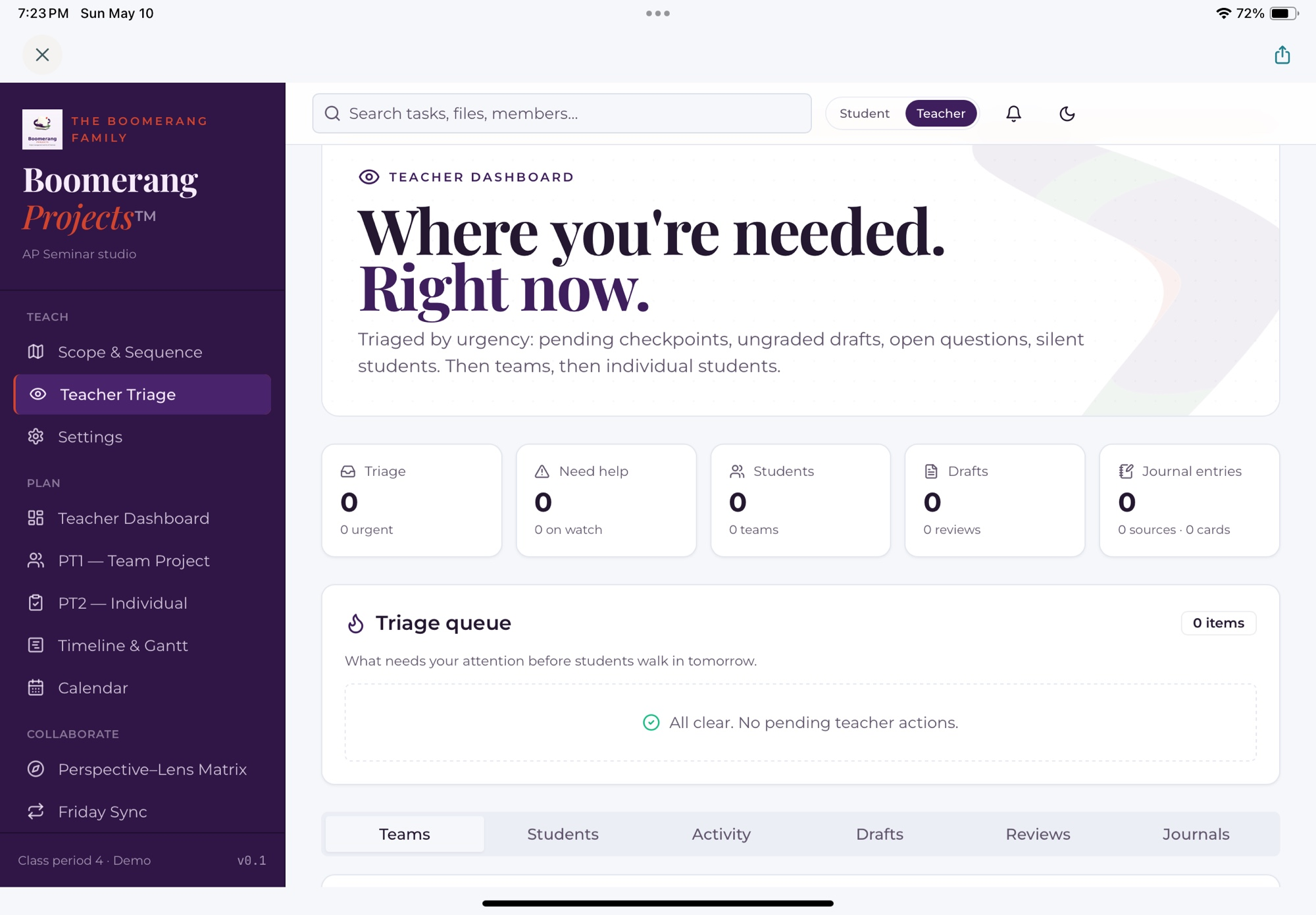
Teachers create rubrics in plain language — rows, levels, descriptors — then those rows show up next to the draft, on the bibliography, on the team board, and in self-assessment. Six starter templates (Research Report, Argument Paper, Team Presentation, Individual Presentation, Science Fair, Senior Capstone) get you to a working rubric in ten minutes, or build from a blank rubric.

  • Six editable starter templates — or build from scratch
  • Rubrics live inside the work, not in a separate document
  • Self-assessment maps to the same rows students see all year
Boomerang Projects Rubric Builder — left rail lists six starter templates (Research Report, Argument Paper, Team Presentation, Individual Presentation, Science Fair, Senior Capstone); right panel shows an editable 5-row, 4-level rubric for the Research Report template.
Teacher view · v1 mockup

A teacher-built workspace

Built around the rubric. Built around the student. Built for the way the project actually runs.

A teacher leading a research-project lesson at the front of a classroom.

From a classroom, not a conference room

Designed by a 20+ year high school English teacher who runs extended research projects every year. Every screen exists because a real cohort of students hit a real wall — and a real teacher had to solve it on a Tuesday morning.

A teacher conferencing one-on-one with a student over a laptop.

The rubric lives inside the work

Your rubric rows aren't buried in a help doc. They appear next to the draft, next to the bibliography, and inside the dashboard — in your own words.

A teacher working with a small group of students around a table.

Privacy by design

Minimal data collection. FERPA-aware language. No third-party trackers in student-facing flows. Student work is for the student and the teacher — not for a model, not for an ad network, not for anyone else.

Peer feedback by default

Students get faster, better feedback when peers are the first readers.

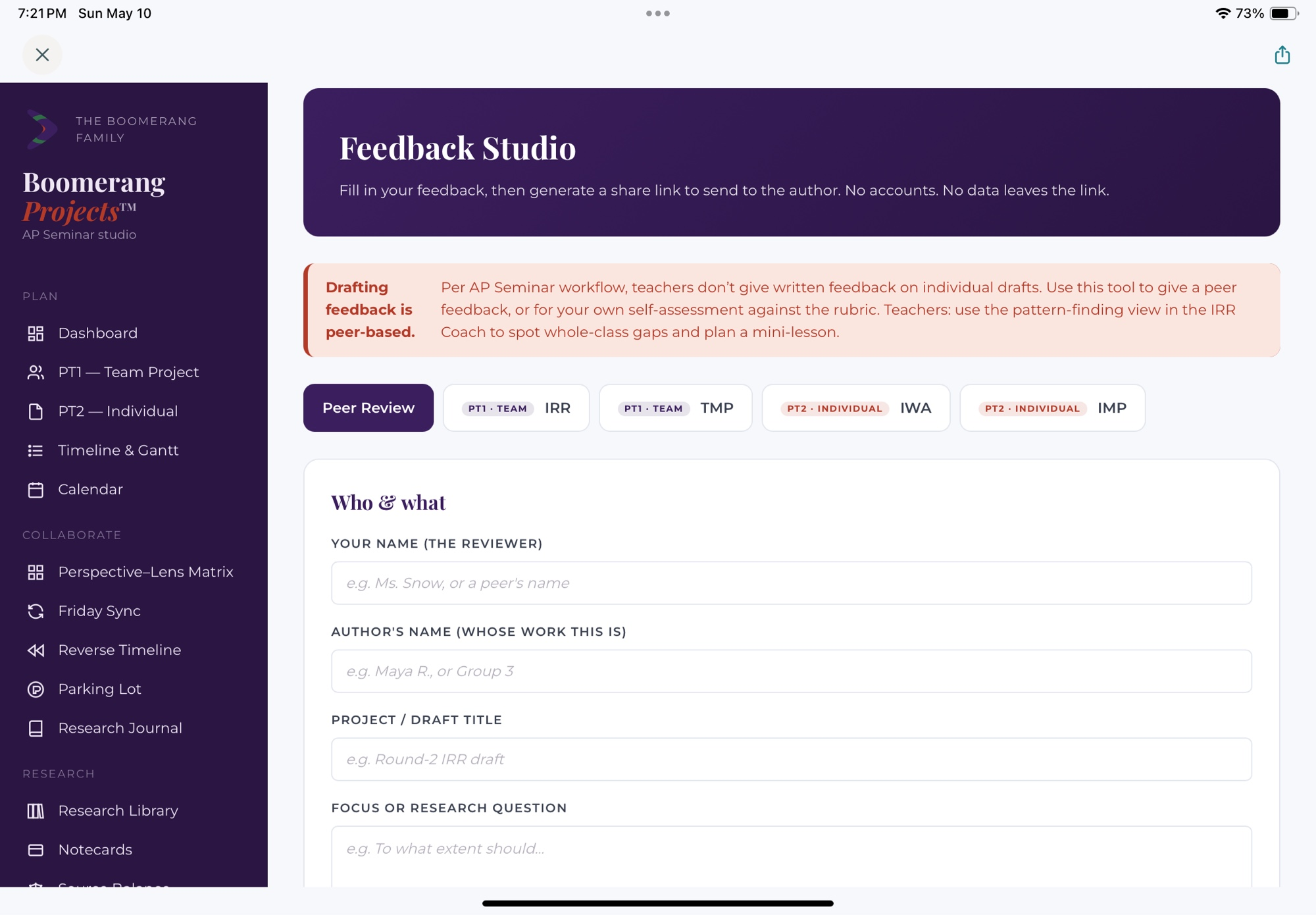
Boomerang Projects is built around a stance: on drafts, peer feedback comes first. Students learn more from giving a rubric-aligned response to a classmate's argument than from waiting in line for the one adult in the room. Teachers stay in the conversation through conferences, mini-lessons, and the triage queue — but the written feedback on individual drafts stays peer-based by default.

That's the default — not the only setting. Some classes work differently, and the workspace knows that. A class-level toggle lets you turn on teacher comments on individual drafts whenever the project type calls for it.

In the room

Research projects are a place where people think together.

Beta is part of the work

We treat beta like good research.

Honest about limitations. Open about implications. Curious about possibilities. The v1 cohort is small on purpose — so we can listen, refine, and ship features the classroom actually needs.

v1 · Beta release

The research-project spine

  • Project-type picker with starter rubrics
  • Student dashboard with rubric-aligned progress
  • Reverse timeline with three pacing modes
  • Annotated bibliography with SIFT, CRAAP, SMART, or RAVEN per source
  • Team board with peer review column
  • Privacy-first auth, FERPA-aware language

v2 · After classroom pilots

The collaboration layer

  • Feedback Studio with rubric-aligned peer review
  • Conferencing notes tied to rubric rows
  • Department-level admin and roll-up reporting
  • Optional teacher comments on individual drafts (off by default)
  • District pilot pricing and SSO
  • Non-generative AI features only — no student-facing essay generation

Join the beta

Be one of the first classrooms to use Boomerang Projects.

We're onboarding a small first cohort of teachers running extended research projects in the 2026–27 school year. Beta partners get free access during the entire beta period and a direct line to the founder — your feedback shapes what v1 ships with.

Prefer email? Write directly to drewsnow@boomerangpass.com. Every beta inquiry is read by the founder.

"Boomerang Projects came directly out of running extended research projects with high schoolers — out of watching students do their best thinking when the workflow stopped getting in their way. The tools we put in classrooms should reflect the best of teaching: trust, judgment, and care. The freedom these projects are built on is worth protecting, and the structure that protects it is worth building well."

— Drew Snow, Founder & CEO, Boomerang Projects™
drewsnow@boomerangpass.com