For Students

Own the path to your final work.

Big research projects become manageable when you can see the small steps. Boomerang Projects keeps your question, sources, plan, drafts, teacher feedback, peer review, and revisions connected to one timeline.

You keep the freedom to choose your question and shape your argument. The workspace keeps the structure that makes the work possible.

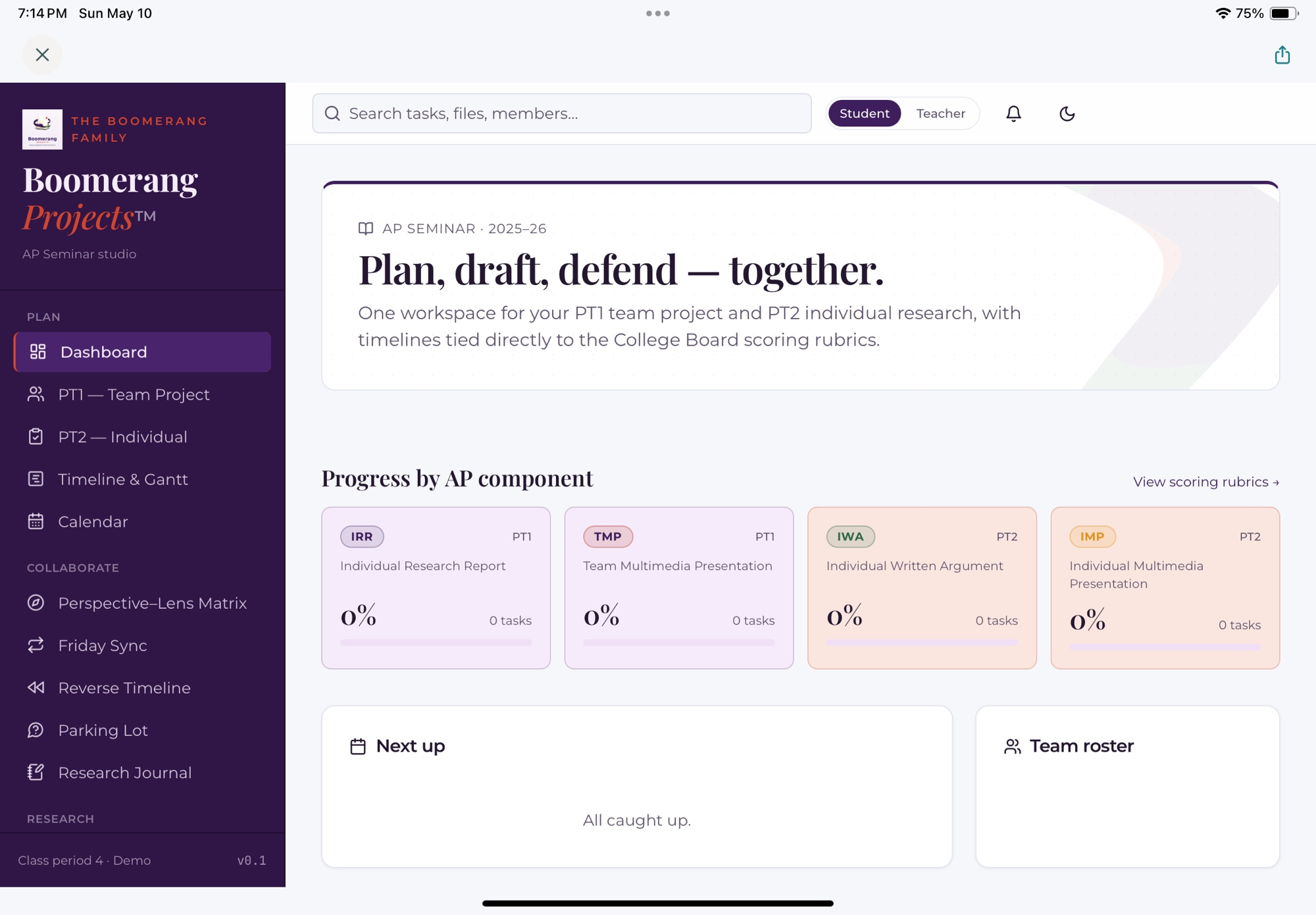
Boomerang Projects student dashboard showing project components, current work, and progress across a research project.
Four students collaborating on research in a school library.

A Student Research Project Management System built for the work.

Boomerang Projects is designed for the kind of school work that unfolds over weeks or months — research reports, argument papers, senior capstones, science fair projects, IB® Extended Essays, AP Seminar performance tasks, portfolio pieces, and team presentations.

It gives your project a shape you can see: what you're working on, what's next, how it maps to the rubric, and how much time you actually have to finish it well.

Six features you'll use every week.

Every surface is designed to make a real research task lighter — without doing the thinking for you.

Reverse Timeline

Pick your final due date and the workspace builds every checkpoint backward — topic lock, perspectives map, bibliography, first draft, peer feedback, revision, final. Each milestone explains the why, so you're learning planning, not just meeting deadlines.
Annotated Bibliography with credibility built in

Every source is scored against the framework your teacher picked — SIFT, CRAAP, or RAVEN — with evidence fields under each score. Weak sources get flagged; strong ones get a green verdict. You end the project with a bibliography that could stand up to a review.

Teacher feedback and student peer review

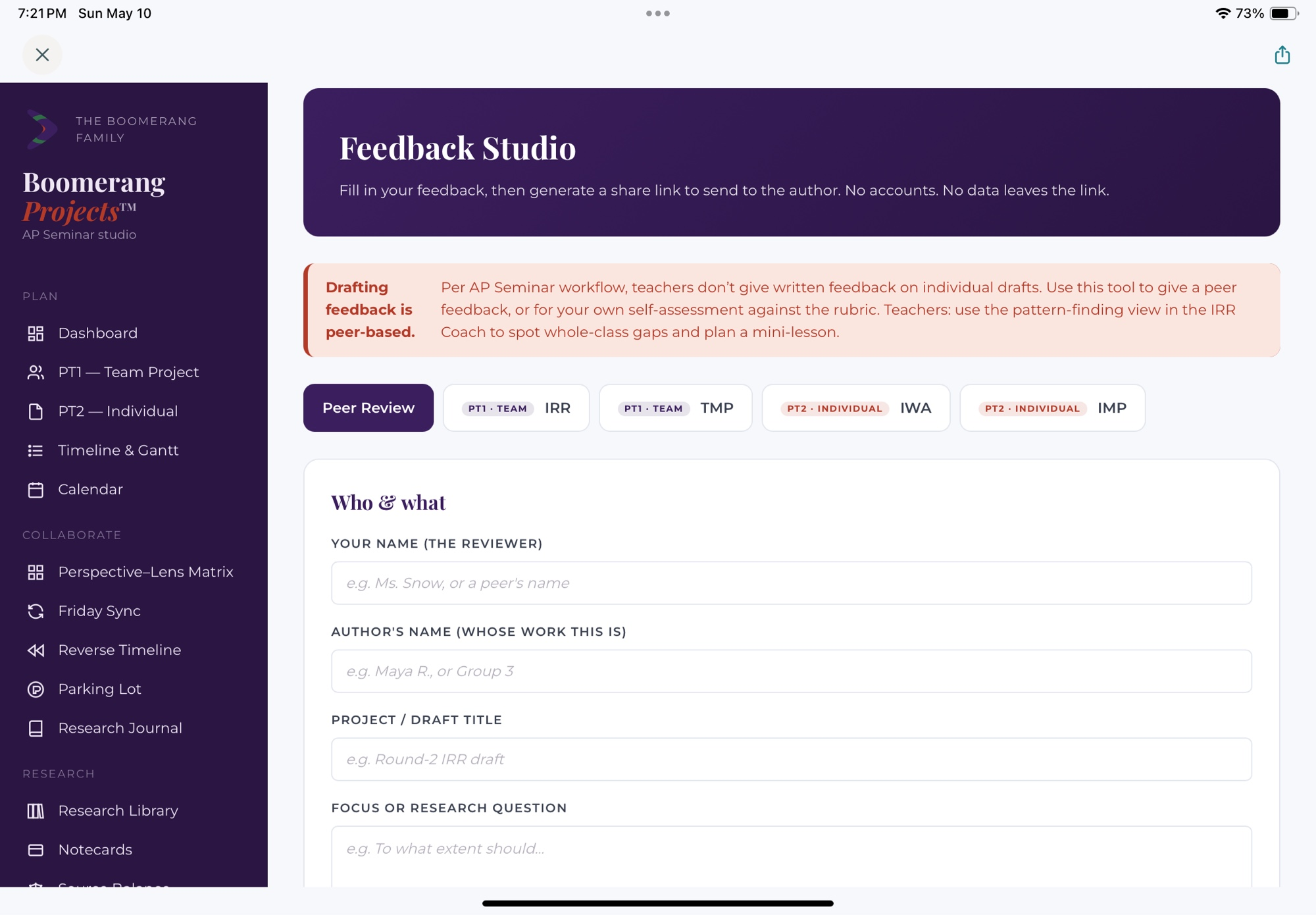
The rubric does not wait on the last page. It sits next to your draft, bibliography, and presentation planner. You use the same language when responding to a classmate, and teacher feedback stays connected to the part of the work it can improve.

Research Journal

A private, low-friction place to think out loud — questions, false starts, sources you almost used, a paragraph you might come back to. Nothing here is graded. All of it belongs to you.

Team Board

Group projects live on coordination. A shared board makes every teammate's work visible, tagged to a rubric row and an owner. Contribution Receipts make sure your work is counted — including the parts that usually go invisible.

Credibility Lab

A practice surface for source evaluation. Score a real source against the framework your teacher chose. Then switch frameworks to see how the same source reads under different criteria. Weak scores flag automatically.

Your process belongs to you

The final paper carries its history.

Your final paper or presentation represents a series of choices. The dated record helps you see those choices, explain why you made them, and return to earlier work without losing the evidence of growth.

Giving peer feedback also sharpens your own writing. You practice the rubric as a reader, receive a classmate's perspective as a writer, and decide what the next version needs.

What it feels like to work inside it.

You open Boomerang Projects and see one screen. Your active studio is in the sidebar. This week's kanban — to explore, reading, drafting, done — is front and center. A running conference thread with your teacher is right where you can see it. Recent research-journal entries are on the right.

You don't dig through folders for the rubric. You don't reformat citations at 2 a.m. You don't wonder whether your teammate did their part. You spend your time on the actual work — reading, thinking, writing, revising — and less on managing the mess around it.

Your work belongs to you.

Boomerang Projects is designed as a privacy-conscious workspace. Your research journal, drafts, notes, and bibliography remain part of your learning record. Your teacher sees the project information needed to teach, respond, and help you revise.

Signals in the workspace are meant to lead to a conversation, not an automatic consequence. If something is off, the next step is a real interaction with a real teacher.

See it for yourself

Take a five-minute tour of the student view.

No sign-up. No form. Click in, poke around, and see what the workspace actually looks like from a student's seat.

Take the Student Demo Tour

Boomerang Projects student Feedback Studio showing a structured peer-review response connected to a project draft.

Think your class could use this? Show your teacher.

Your teachers are the people who decide what tools show up in class. If Boomerang Projects looks useful, the fastest way to make it real is to send them a short note.

Copy the text below and paste it into an email or a message to your teacher. That's it — no forms, no accounts, no email app opening on its own.

You don't have to use it word-for-word — change anything so it sounds like you.

Student FAQ.

Is Boomerang Projects only for AP or IB students?

No. It works for any long-form research or project-based work — research reports, argument papers, science fair projects, capstones, and team presentations. AP Seminar and IB Extended Essay are two of the studios, not the whole product.

Do I have to install anything?

No. It runs in a browser. If your teacher enables it for the class, you sign in and start working. The demo tour doesn't require sign-in at all.

Does my teacher see everything I type?

No. Your research journal is yours. Your teacher sees the parts of your project designed to be shared — your bibliography, your drafts submitted for feedback, your milestone status, your team-board contributions. The rest belongs to you.

Does it write my paper for me?

No — and it's not supposed to. Boomerang Projects supports the process. The thinking, the writing, and the argument stay with you.

How do I actually get access?

Your teacher or school enables it for your class. If your teacher doesn't know about it yet, the fastest way is to share the site with them — there's a ready-to-send email above.